
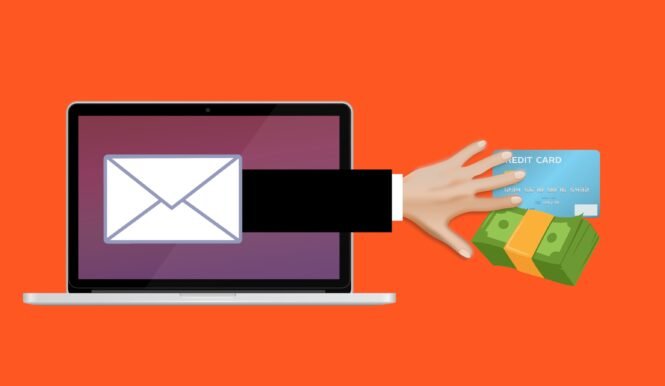
Phishing is the most common way people get hacked. It does not require sophisticated malware or technical skill on the attacker’s part. All it takes is a convincing message and a moment of distraction. Understanding how it works is one of the most practical things you can do to protect yourself online.
This guide covers what phishing is, how to spot it, what to do if you fall for it, and how to protect yourself going forward.
Table of Contents
- 1. What Is Phishing?
- 2. How Does Phishing Work?
- 3. Types of Phishing Attacks
- 4. Phishing Email Examples
- 5. How to Spot a Phishing Email
- 6. What Happens If You Click a Phishing Link?
- 7. What Is Smishing? Phishing on Mobile
- 8. How to Protect Yourself from Phishing
- 9. How to Report a Phishing Email
- 10. The Bottom Line
What Is Phishing?
Phishing is a type of cyberattack where someone impersonates a trusted person or organisation to trick you into handing over sensitive information. That information is usually login credentials, credit card numbers, or personal details. The attacker typically contacts you by email, but phishing also happens over text message, phone calls, and social media.
The name comes from “fishing”: attackers cast out convincing bait and wait for someone to take it. The bait might be a fake bank security alert, a fake package delivery notification, or a message that looks like it came from a colleague. The goal is always the same: get you to click a link, open an attachment, or hand over information you would not give to a stranger.
Phishing is not a niche threat. According to the FBI’s Internet Crime Complaint Center (IC3), phishing is consistently the most reported cybercrime in the United States, affecting hundreds of thousands of people every year. The Federal Trade Commission (FTC) also maintains a plain-English guide on recognising and avoiding phishing scams.
How Does Phishing Work?
A phishing attack follows a predictable pattern:
- The attacker sends a message that looks like it comes from a legitimate source: your bank, Amazon, PayPal, Microsoft, or even a colleague. The sender name and visual design are often copied closely from the real thing.
- The message creates urgency. It tells you there is a problem with your account, a suspicious login, an undelivered package, or an unpaid invoice. The pressure is designed to make you act quickly without thinking too carefully.
- You click a link that takes you to a fake website designed to look identical to the real one. The URL is slightly different but the page looks convincing.
- You enter your credentials on the fake page, and the attacker collects them in real time. Some attacks also install malware in the background when you visit the page.
- The attacker uses your credentials to log into your real account, change the password, and lock you out. Some sell the stolen credentials to others on criminal marketplaces.
The whole process can take seconds from the moment you click. The attacker does not need to be technically skilled. Phishing kits (pre-built packages containing fake login pages and collection scripts) are sold cheaply online, making phishing accessible to almost anyone.
Types of Phishing Attacks
Phishing covers a family of related attacks, each using a different channel or approach:
Email phishing
The most common form. Mass emails are sent to thousands of addresses at once, impersonating banks, delivery companies, streaming services, or large retailers. Most people will receive at least one of these a week.
What is spear phishing?
Spear phishing is a targeted version of phishing aimed at a specific person. Instead of a generic mass message, the attacker researches their target and crafts a personalised email that references real details: your name, your employer, a recent purchase, or a colleague’s name. These are far harder to spot than generic phishing emails.
Whaling
A whaling attack is spear phishing aimed specifically at senior executives or high-value individuals. The goal is usually to authorise a large financial transfer or access sensitive company data. The term comes from going after a “big fish.”
Clone phishing
The attacker takes a legitimate email you have previously received, duplicates it almost exactly, replaces the links or attachments with malicious ones, and resends it. Because it closely resembles a real email you have already seen, it can be unusually convincing.
Smishing and vishing
Phishing over SMS (smishing) and phone calls (vishing). Covered in more detail in the mobile section below.
Phishing Email Examples
Phishing emails tend to follow a handful of proven templates. These are the most common ones you are likely to encounter:
Fake bank security alert
Subject line: “Your account has been suspended. Action required.” The email warns of suspicious activity on your account and asks you to verify your identity by clicking a link. The link leads to a fake login page that looks identical to your bank’s website.
Amazon phishing email / fake order confirmation
An email claims there is a problem with an order, a charge you do not recognise, or that your account access has been restricted. Amazon phishing emails are among the most widely sent because almost everyone has an Amazon account and reacts to unexpected order notifications. The link leads to a fake Amazon login page.
Fake package delivery notification
Subject line: “Your parcel could not be delivered. Reschedule now.” A message appearing to come from FedEx, UPS, Royal Mail, or a similar courier asks you to click a link to reschedule delivery. Some versions ask for a small “redelivery fee” to capture your payment details.
Fake password reset
An email telling you that someone attempted to reset your password or that your password has expired. The urgency of a potential account compromise gets people clicking quickly. The link goes to a fake login page.

How to Spot a Phishing Email
Most phishing emails share the same warning signs. Once you know what to look for, they become much easier to catch:
The sender address does not match the organisation
The display name might say “Amazon” or “PayPal,” but check the actual email address. A legitimate email from Amazon comes from an @amazon.com domain. Phishing emails often use addresses like support@amazon-security-alert.com or noreply@paypal-accounts.net. The domain after the @ is the giveaway.
Urgency and pressure language
Phrases like “Your account will be closed in 24 hours,” “Immediate action required,” or “Unusual sign-in activity detected” are designed to override your caution. Legitimate companies rarely demand you act within hours or face consequences.
The link does not match the destination
Hover over any link before clicking (on desktop, hover your mouse over it and look at the URL shown in the bottom of your browser). If you are expecting a link to amazon.com but the URL shows something like amaz0n-secure.com or a string of random characters, do not click.
Generic greetings
Real companies that have your account details use your name. “Dear Customer,” “Dear User,” or “Hello Account Holder” are signs that the message was sent to a large list of random addresses.
Requests for credentials or payment details
Legitimate banks, retailers, and services never ask you to confirm your password, PIN, or full card number by email. Ever. If an email asks for this, it is a phishing attempt regardless of how convincing it looks.
Unexpected attachments
An unsolicited email with an attached PDF, Word document, or ZIP file should be treated with suspicion. Malicious attachments are a common way to install malware on your device.
If you want to put your skills to the test, try our phishing quiz — 10 real-world examples where you decide whether each message is genuine or a phishing attempt. Each answer comes with a full explanation of the warning signs. Google also offers their own phishing quiz if you want more practice.

What Happens If You Click a Phishing Link?
Clicking a phishing link does not automatically mean you are compromised. What matters most is what you do next.
If you clicked but did not enter any information, close the browser tab immediately. Run a malware scan to check whether anything was downloaded in the background. Most phishing links lead to fake login pages rather than direct malware downloads, so if you did not type anything in, your risk is lower.
If you entered your login credentials on a fake page, act quickly:
- Change your password immediately on the real website. Go there directly by typing the address into your browser, not by clicking any link.
- Enable multi-factor authentication if it is not already on. This means even if the attacker has your password, they cannot get into your account without a second step. See our guide on multi-factor authentication for how to set this up.
- Check for unauthorised activity. Look at your account’s recent login history and any sent messages or transactions. Many services show you where and when your account was last accessed.
- Change the same password on any other accounts where you reused it. Password reuse is exactly what attackers count on. A password manager prevents this problem by giving every account its own unique password.
- Run a malware scan on your device to check whether anything malicious was installed during the visit.
If you entered payment card details, contact your bank immediately to report the card as potentially compromised. Most banks can freeze the card and issue a replacement quickly.
What Is Smishing? Phishing on Mobile
Smishing is phishing carried out over SMS text messages. The name combines “SMS” and “phishing.” It follows the same principles as email phishing but arrives in your text message inbox instead, where people tend to be less on guard.
Common smishing messages include fake parcel delivery notifications asking you to click a link to reschedule, fake bank fraud alerts asking you to confirm a transaction, and messages claiming you have won a prize or are owed a tax refund. The link leads to a mobile-optimised fake page designed to capture your details.

The same rules for spotting email phishing apply to smishing: check for urgency, unexpected requests, and links that do not match the sender’s domain. On mobile, it is harder to hover over links to preview them, so if in doubt, go directly to the company’s app or website rather than clicking the link in the message.
What is vishing?
Vishing is phishing over phone calls. An attacker calls you pretending to be from your bank’s fraud team, Microsoft support, the tax authority, or another trusted organisation. They use social pressure and a sense of urgency to convince you to hand over account details, transfer money, or install remote-access software on your device. If you receive an unexpected call asking for sensitive information or remote access to your computer, hang up and call the organisation back using a number from their official website.
How to Protect Yourself from Phishing
No single measure eliminates phishing risk entirely, but combining a few habits makes you a much harder target:
Go directly to websites instead of clicking links
If an email or text tells you there is a problem with your account, open a new browser tab and type the website address yourself. Do not click the link in the message. This single habit defeats most phishing attempts.
Enable multi-factor authentication on all important accounts
Even if an attacker steals your password through a phishing page, they cannot get into your account without the second factor. Enable MFA on your email, banking, and any account tied to payment information. Our guide covers how multi-factor authentication works and how to set it up.
Use a password manager
Password managers have a built-in defence against phishing that most people do not know about: they only auto-fill credentials on the exact domain they were saved for. If you land on a fake page at amaz0n.com, your password manager will not offer to fill in your Amazon credentials because it recognises the domain does not match. A password manager is one of the strongest passive defences against phishing.
Check the sender address, not just the display name
Before acting on any email requesting sensitive information or urgent action, check the actual email address behind the sender name. Display names can be set to anything; the domain after the @ cannot be faked easily.
Keep software and your browser updated
Browsers maintain lists of known phishing sites and warn you before you visit them. These warnings only work on up-to-date software. Keeping your browser and operating system updated also closes vulnerabilities that some phishing attacks exploit to install malware. Our guide on software updates explains why this matters.
Slow down
Phishing relies on urgency. If a message tells you to act immediately or face consequences, treat that pressure as a warning sign. Take a moment to verify through an independent channel before doing anything.
CISA, the US Cybersecurity and Infrastructure Security Agency, provides additional guidance on recognising and avoiding phishing attacks aimed at everyday users.
How to Report a Phishing Email
Reporting phishing emails helps protect other people and allows authorities to take down malicious sites more quickly.
In your email client: Most major email services (Gmail, Outlook, Apple Mail) have a built-in “Report phishing” or “Report spam” option. Use it. The provider uses these reports to improve their filters and protect other users.
In the US: Forward phishing emails to the Anti-Phishing Working Group (APWG) at reportphishing@apwg.org, and report them to the FTC at reportfraud.ftc.gov.
In the UK: Forward suspicious emails to report@phishing.gov.uk, run by the National Cyber Security Centre (NCSC). For suspicious text messages, forward them to 7726 (spells SPAM on a phone keypad).
Impersonating a specific company: If the phishing email impersonates a bank, retailer, or service, you can also forward it to that company’s abuse or security team. Most large organisations have a dedicated address for this (for example, Amazon uses stop-spoofing@amazon.com).
The Bottom Line
Phishing works because it targets human instincts rather than technical vulnerabilities. Urgency, trust, and distraction are its main tools. The good news is that recognising those patterns is a skill anyone can develop, and the practical defences are straightforward.
Check sender addresses before acting on emails. Go directly to websites rather than following links. Enable multi-factor authentication on accounts that matter. Use a password manager. These four habits, taken together, eliminate the vast majority of phishing risk for most people.


