

Software updates are one of the simplest things you can do to protect your devices, yet most people skip or delay them. This guide explains what software patches are, why they matter, what Patch Tuesday is, and what actually happens when you leave your software outdated.
Table of Contents
What Is a Software Patch?
A software patch is a small piece of code released by a developer to fix a specific problem in an existing program. The name comes from the idea of patching a hole: something in the software was broken or vulnerable, and the patch repairs it without requiring a full reinstall or replacement of the program.
Patches are delivered as part of software updates and can address a range of issues, from minor bugs that cause an app to crash to serious security flaws that would let an attacker take control of your device. When you see a prompt saying an update is available, there is almost always at least one patch included.
What Is a Security Patch?
A security patch is a specific type of software patch that fixes a vulnerability being exploited, or at risk of being exploited, by attackers. Security patches are the most time-sensitive updates because the window between a vulnerability being discovered and attackers actively using it can be very short.
A real example: in 2017, the WannaCry ransomware attack infected hundreds of thousands of computers across 150 countries. Microsoft had already released a security patch for the vulnerability two months earlier. The machines that were hit simply had not installed it. Learn more about the WannaCry ransomware attack on Wikipedia.
Security patches are the primary reason keeping software updated is treated as a basic security practice rather than optional housekeeping.
What Does a Software Update Do?
A software update can include several types of changes at once:
- Security patches: fix vulnerabilities that attackers could use to access your device or data
- Bug fixes: correct errors that cause crashes, freezes, or incorrect behaviour
- Performance improvements: optimise how the software uses memory, battery, or processing power
- New features: add functionality or improve the interface
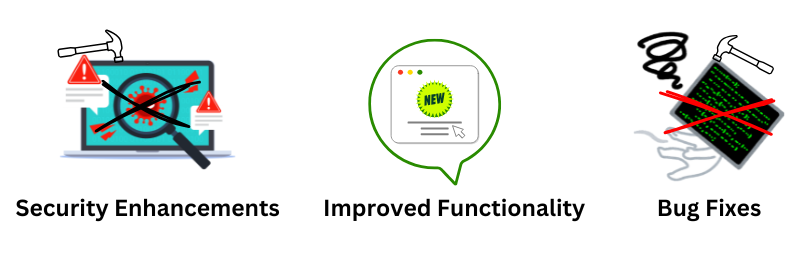
Not every update contains all of these. A small patch might only fix one security flaw. A major version update might overhaul the entire interface. Either way, the security component is the one that cannot be safely skipped.
What Is Patch Tuesday?
Patch Tuesday is the informal name for Microsoft’s monthly release of security updates, which comes out on the second Tuesday of each month. Microsoft established this schedule in 2003 to give IT administrators a predictable window for testing and deploying patches across their systems.
For home users, Patch Tuesday is handled automatically through Windows Update. You may not notice it happening, but your Windows PC receives a batch of security fixes each month on this schedule. These typically cover the operating system itself, Microsoft Office, Edge, and other Microsoft software.
Other software vendors, including Adobe and Oracle, have aligned their own patch cycles to release updates on the same day, making it easier for system administrators to manage updates from multiple sources at once.
The day after Patch Tuesday is sometimes called “Exploit Wednesday” in security circles, because attackers study the newly released patches to understand what vulnerabilities were fixed, then rush to exploit those same flaws on machines that have not yet been updated. This is one reason why applying security updates promptly matters.
Risks of Outdated Software
Running outdated software is one of the most common reasons devices get compromised. Once a vulnerability is publicly known, attackers actively scan the internet for machines running the affected version. Unpatched devices are easy to find and straightforward to exploit.
The number of known vulnerabilities grows every year. According to Statista, over 25,000 new Common Vulnerabilities and Exposures (CVEs) were reported in 2024 alone. Each one represents a flaw in software that could be exploited if left unpatched.

The specific risks of running outdated software include:
- Data theft: attackers can access passwords, financial details, and personal files
- Ransomware: malware can encrypt your files and demand payment to restore access
- Unauthorised access: attackers can take control of internet-connected devices like routers, cameras, or smart home gadgets and use them as a foothold into your network
- Botnet recruitment: your device can be hijacked and used to attack other systems without your knowledge
These risks apply to ordinary users, not just businesses. Attackers look for easy targets, and an unpatched home router or old phone is as viable a target as anything else.
Zero-Day Vulnerabilities: Why Speed Matters
A zero-day vulnerability is a security flaw that is being actively exploited by attackers before the software developer has released a fix. The term “zero-day” refers to the fact that developers have had zero days to address it.
Zero-days are particularly dangerous because there is no patch available yet. The best defence is to apply updates the moment a patch is released, minimising the window of exposure. Attackers specifically target users who delay updates, knowing that most people do not install them immediately.
When a vendor releases an emergency out-of-band patch (one that falls outside the regular Patch Tuesday schedule), it is almost always because a zero-day is being actively exploited. Those updates are worth installing as quickly as possible rather than waiting for a convenient time.
How to Manage Software Updates
Enable Automatic Updates
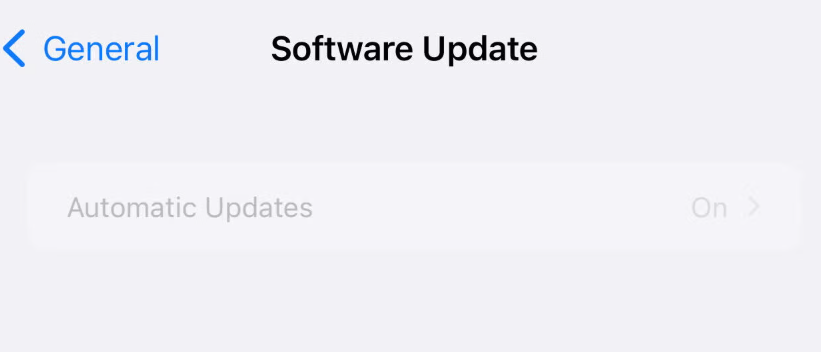
Automatic updates are the simplest way to stay protected. Most operating systems and apps support this, and it removes the need to remember to check manually. Security patches in particular are worth installing automatically so there is no delay between a fix being available and it being applied to your device.
Check Manually for Apps That Don’t Auto-Update
Automatic updates do not cover everything. Some older software, specialised programs, or router firmware requires manual checks. Set a reminder to review your devices every few weeks and look for anything that has pending updates.
Back Up Before Major Updates
For large updates like operating system upgrades, it is worth backing up your data first. Updates rarely go wrong, but unexpected issues like power loss mid-install can occasionally cause problems. A backup means you can recover your files if something does not go as expected.
Updates for All Devices
Software updates are not just for computers and phones. Any device connected to the internet can have vulnerabilities, and most require firmware or software updates just like any other platform.

Devices worth keeping updated include home routers (often the most overlooked), smart TVs, security cameras, smart doorbells, and car infotainment systems. A compromised router is especially serious because it sits between every other device on your network and the internet. Attackers who gain access to it can monitor traffic, redirect you to fake websites, or use your connection to attack others.
Check your router’s admin panel every few months for firmware updates. Many routers do not push these automatically, and manufacturers quietly release patches for discovered vulnerabilities without any notification to the user.
The Bottom Line
Software patches exist because no program is written perfectly the first time. Security patches in particular close doors that attackers are actively trying to open. The longer you delay installing them, the longer those doors stay open.
Enable automatic updates where you can, check manually for devices that do not update themselves, and treat emergency patches as something to install promptly rather than later. It is one of the lowest-effort, highest-impact steps you can take to keep your devices and data safe.


